






I approached the 22Bit mobile experience the same way I normally use a betting platform. I logged in, moved between the casino and sportsbook, opened a few slots, and placed live bets from both an iPhone and an Android phone.
One detail becomes clear right away: this is not the usual setup where you search an app store and tap Download. That may be confusing at first, especially for new users. Once I started using the platform, though, the installation method mattered much less than the way everything performed.
The navigation followed a clear and predictable structure. Casino games, live tables, and sports betting were easy to reach, while moving between them only took a few seconds. I could open the cashier, check my account, and place bets without running into crashes or repeated page reloads. Those are usually the moments when a poorly designed mobile platform starts showing its weaknesses, but that did not happen here.
Visually, the interface is more practical than luxurious. It does not try to impress with unnecessary effects, but the important parts work well. Pages open quickly, gameplay remains stable, and the layout fits comfortably on a smaller screen.
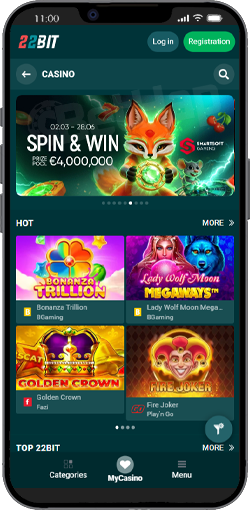
I started on iPhone, mainly because iOS tends to be more restrictive when a gambling platform is not available through the App Store. A search there returned no official 22Bit app, so I used the alternative setup through Safari.
After opening the website and signing in, I added it to my Home Screen. That small change made a bigger difference than I expected. The platform began opening in full-screen mode, and I could reach the casino or sportsbook with one tap instead of going through Safari every time.
To see how it behaved in normal use, I played several slots and followed an active match through the live betting section. Moving quickly between different parts of the platform did not cause lag, reload loops, or unexpected errors. It may not technically be a native application, but once the shortcut was in place, the difference felt fairly minor.
The iOS version is not downloaded in the traditional sense. Instead, the website is saved to the Home Screen, which gives it a more app-like appearance and makes it quicker to open.
These are the steps I followed:
I opened Safari on my iPhone 16 Pro Max;
Went to the official 22Bit website;
Logged into my account or create one;
Tapped the Share button in the browser menu;
Selected “Add to Home Screen”;
Confirmed the shortcut;
An icon then appeared on my Home Screen, and from that point I could access 22Bit with a single tap.
Safari is important here. Other iPhone browsers may not support the same Home Screen behaviour properly, so I would use Apple’s browser for this setup.
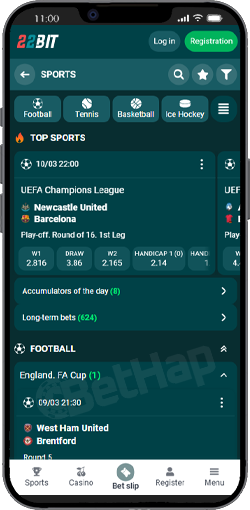
Android offers a more traditional installation experience because the platform can be installed through an APK file. I downloaded the file directly from the official 22Bit website, followed the installation prompts, and had the app running within a few minutes.
Once it opened, the layout looked familiar. It followed the structure of the desktop platform, but the menus and controls had been adapted for a touchscreen. Buttons were larger, unnecessary elements had been removed, and the betting slip remained manageable even when I added several selections.
In everyday use:
the app loads quickly;
live betting works smoothly;
switching between sections is instant;
no lag during gameplay;
For someone who prefers having a separate application rather than opening a browser, the Android version feels like the more direct option.
Installing the Android version follows the usual process for an APK that is not distributed through Google Play.
Here is how I installed it:
Opened the 22Bit website on my Android phone;
Navigated to the mobile app section;
Clicked “Download App”;
Waited for the APK file to download;
Allowed installation from unknown sources when prompted;
Installed and launched the app;
The 22Bit icon then appeared with the rest of my applications.
Allowing installation from unknown sources may be unfamiliar to some users, but the setting only took a few seconds to change. I downloaded the APK from the official platform rather than using an unrelated third-party website.
Before starting, I expected both setups to involve more effort. In practice, iOS worked well as a Home Screen shortcut, while Android felt closer to a standard application. Once everything was ready, neither version made me think about the installation process again.
Using both versions made the advantages and limitations fairly easy to identify.
| Pros | Cons |
|---|---|
| - fast loading times across all sections (casino, sportsbook, cashier) | - no official App Store version for iOS, which may confuse new users |
| - no crashes or freezes during testing, even in live betting | - iOS installation requires manual setup through Safari |
| - smooth switching between casino and sportsbook without reload issues | - Android installation requires enabling “unknown sources” |
| - clean and simple navigation, easy to use on smaller screens | - APK download may feel less secure for inexperienced users |
| - betting slip works well for both single and accumulator bets | - |
| - iOS version (home screen shortcut) behaves almost like a real app | - |
| - Android APK feels like a full native app once installed | - |
| - quick access with one tap after setup | - |
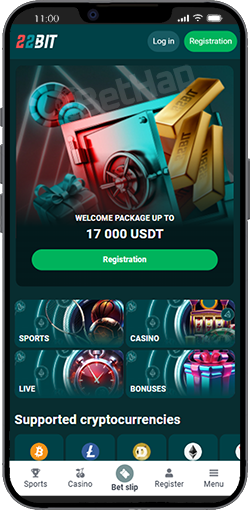
I also spent time using the mobile website directly through the browser to see if there’s any real difference.
The first thing I tested was how fast I could start playing without installing anything. I opened the site in Chrome and Safari, logged in, and went straight into the casino section. No delays, no forced redirects, no “download our app” popups, which is a good sign. The mobile site is clearly optimized properly:
menus load instantly;
games open without extra steps;
sportsbook works smoothly, including live betting;
I tested a few slots and switched to live betting during an active match. Odds updated in real time, and placing bets felt just as responsive as in the app. The biggest advantage here is simplicity. You don’t install anything, you don’t change settings, and you don’t deal with APK files or shortcuts. You just open the site and play.
From a pure functionality standpoint, nothing is missing. You get full access to:
casino games (slots, live casino, crash games);
sportsbook (pre-match + live betting);
cashier and account settings;
That’s why for many users, the mobile site is more than enough.
Once I had used the app-style versions and the browser site side by side, it became clear that the choice is mostly about convenience. The features and performance were almost identical.
| Feature | 22Bit App | 22Bit Mobile Website |
|---|---|---|
| Installation | Requires APK (Android) or home screen setup (iOS) | No installation needed |
| Access Speed | Opens instantly from home screen | Requires opening browser first |
| Updates | Manual (APK reinstall if needed) | Automatic |
| Casino Games | Full access | Full access |
| Sports Betting | Full access + live betting | Full access + live betting |
| User Experience | More “app-like” feel | More browser-based |
| Device Compatibility | Android + iOS (shortcut) | Works on any smartphone |
From my experience:
If you use the platform daily → the app is more convenient. One tap and you’re in.
If you play occasionally → the mobile site is enough. No setup, no extra steps.
There is no performance gap. Both versions run equally well. I didn’t see any difference in loading speed, gameplay, or betting responsiveness. So the decision is simple:
choose the app for speed and habit;
choose the browser for simplicity and zero setup;
After using the iOS shortcut, Android APK, and browser version, I did not feel that 22Bit depended on a flashy native application to make mobile play work.
The platform takes a more practical approach. On iPhone, the Home Screen shortcut provides quick access without a traditional installation. On Android, the APK gives you a separate application that behaves the way most users expect. The browser version removes the setup altogether and lets you start immediately.
I preferred the installed options when returning frequently because opening them became part of my routine. For a quick or occasional session, the 22Bit mobile website was easier and offered the same core functions.
Neither choice created a noticeable performance disadvantage. What matters more is how often you use the platform and whether you prefer a dedicated icon or direct browser access.