






Want to know more about Planbet mobile experience? Then you are on the right place! In today’s Planbet app review, we are about to cover all the details you need to know when it comes to gambling on mobile devices with Planbet
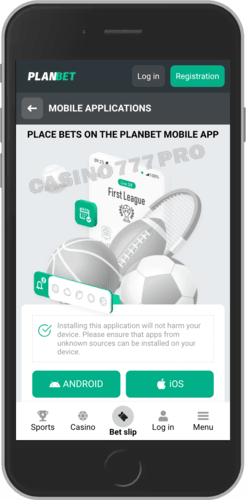
On Android, Planbet feels like a proper all-in-one betting app, not just a wrapped mobile site. The APK is fairly light (around 69 MB), and once installed, the app runs smoothly even on mid-range phones with Android 7.0 and above.
During our testing, we had no issues jumping between cricket, football, and casino games, menus responded quickly, odds updated in real time, and live dealer tables loaded without lag.
The interface is clean and well organised: sports, casino, bonuses, and wallet are always one tap away. We also liked the multilingual support (English, Bengali, Hindi and more), which makes the app feel tailored to local players rather than just a generic international product.
The Android app isn’t on Google Play, so you need to download the APK directly from the official Planbet site. The process is simple and only takes a couple of minutes if you follow the steps carefully. The user friendly interface makes it even better no matter the mobile browser.
Here’s how to install the Planbet APK on Android:
Open the official Planbet website on your Android phone.
Scroll to the mobile / app section and tap the “Download for Android” or “App” button.
Confirm the download of the Planbet.apk file when your browser prompts you.
Go to Settings → Security / Apps and allow installs from unknown sources (if not already enabled).
Open your Downloads folder and tap the Planbet APK file.
Tap Install and wait for the process to complete.
Open the Planbet app, log in or register, and claim your welcome bonus if you’re a new player.
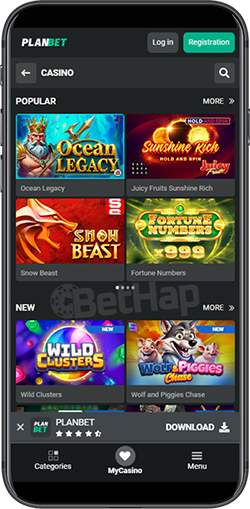
For iOS users, Planbet uses a Progressive Web App (PWA) instead of a traditional App Store download. In practice, that means you access Planbet through Safari, then add it to your home screen so it behaves almost like a normal app.
During our tests on various iPhones, the PWA ran smoothly: pages loaded quickly, live betting was responsive, and casino games opened without issues. The layout is very similar to the Android version – same sections, same bonuses, same payment options – so switching between devices is painless.
The big advantage is that you don’t need to worry about storage space or App Store region restrictions; everything runs directly in the browser while still giving you that “tap-and-open” app feeling.
There’s no native iOS app, but you can “install” Planbet as a PWA shortcut in a few simple steps. This adds an icon to your home screen and opens Planbet in full-screen mode like a real app.
Here’s how to set up Planbet on iOS:
Open Safari on your iPhone or iPad.
Go to the official Planbet website and tap “Download for iOS” (this simply opens the PWA version).
Log in or create a new Planbet account if you haven’t already.
Tap the Share icon at the bottom of Safari (the square with an arrow).
Scroll down and select “Add to Home Screen.”
Confirm the name (e.g. “Planbet”) and tap Add.
Use the new Planbet icon on your home screen to launch the app-like version instantly.
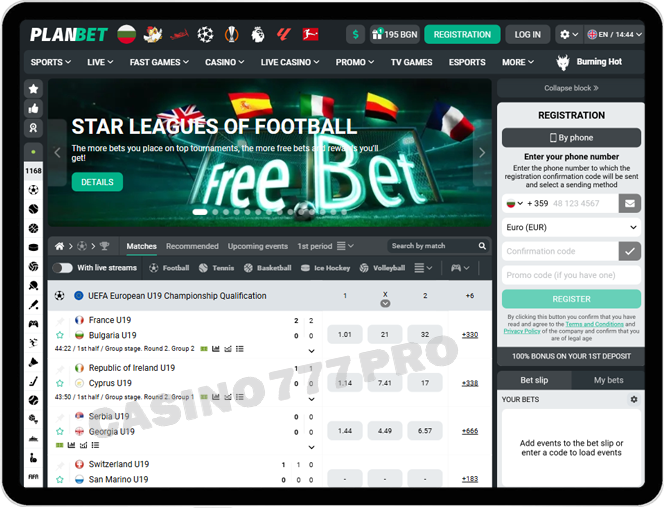
Even if you don’t want to install anything, the Planbet mobile website on its own is strong enough to handle all your betting and casino needs. We tested it on several Android and iOS devices, and the site adapted well to each screen size. The homepage is neatly structured: sports, live events, casino, live casino, bonuses, and support are all clearly visible, which makes navigation easy even if you’re new. If you don't want to get then Planbet application on your mobile device, the mobile version is amazing from almost any browser, including safari browser, and gives you quick access without downloaded file.
What impressed us most was the performance. Pages loaded quickly, odds and live scores updated in real time, and casino games opened without long waiting times. Because the platform is optimised for regions like Bangladesh and India, the interface feels localised – from language options to payment methods and currency support. You can register, verify your account, deposit via local methods and crypto, claim bonuses, and withdraw winnings without ever touching a desktop.
If you prefer flexibility over installing apps, the Planbet mobile website (plus the PWA shortcut for iOS) gives you everything you need to bet and play comfortably on the go.
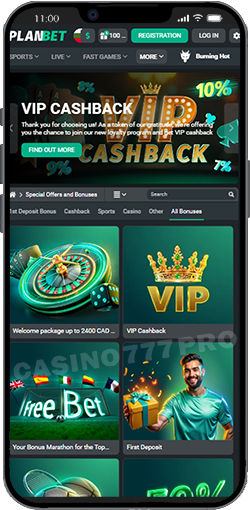
Despite having different versions for Android (APK) and iOS (PWA), Planbet manages to deliver a smooth, consistent mobile experience. While testing, these stood out the most:
Everything is exactly where you expect it. Sports, casino, wallet, and bonuses are easy to reach, and pages load quickly even on slower devices.
Odds update instantly, live events refresh smoothly, and confirming bets takes a fraction of a second. This matters a lot during live cricket and football matches.
iOS users can turn Planbet into an app-like icon with one tap. It opens full screen and behaves just like a native app, no downloads, no App Store restrictions.
| Pros | Cons |
|---|---|
| - Lghtweight app with fast navigation | - No official App Store or Google Play version |
| - Supports both Android APK & iOS PWA | - APK installation may confuse new users |
| - Strong casino and live dealer experience | - PWA depends on Safari’s limitations |
| - Wide payment options including local methods and crypto | - |
| - Large welcome bonuses for sports and casino | - |
| - Works smoothly on older devices | - |
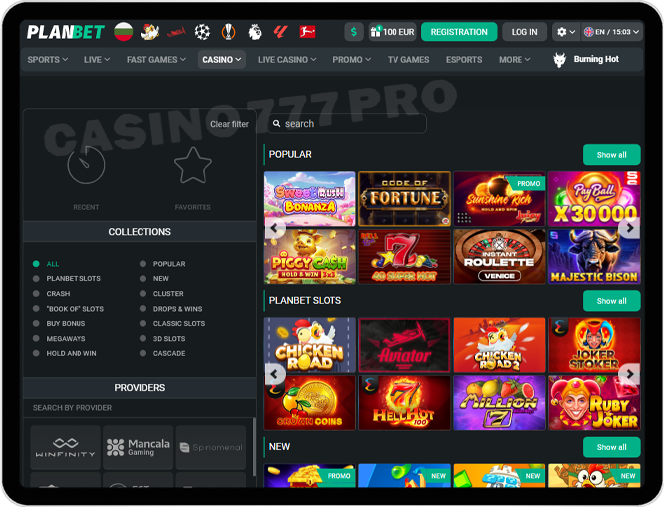
The casino section on Planbet’s mobile app runs impressively well. Slots open quickly, live dealer tables stream without lag, and game providers like Evolution, Pragmatic Play, and NetEnt perform smoothly even on mid-range phones. The lobby is clean and easy to navigate, with categories for top picks, new releases, jackpots, and high RTP titles. You can play casino games via the Planbet mobile app as much as you want, mobil users enjoy TOP experience and all their favorite games in high quality graphics.
Overall, it feels like a full casino app, not a scaled-down mobile version.
| Category | Examples | Notes |
|---|---|---|
| Slots | Sweet Bonanza, Gates of Olympus | Fast loading, smooth graphics |
| Live Casino | Roulette, Blackjack, Baccarat | HD streams, stable performance |
| Table Games | Poker, Teen Patti | Good for casual players |
| Crash Games | Aviator, Plinko | Instant load times |
| Jackpots | Drops & Wins | Works on all devices |
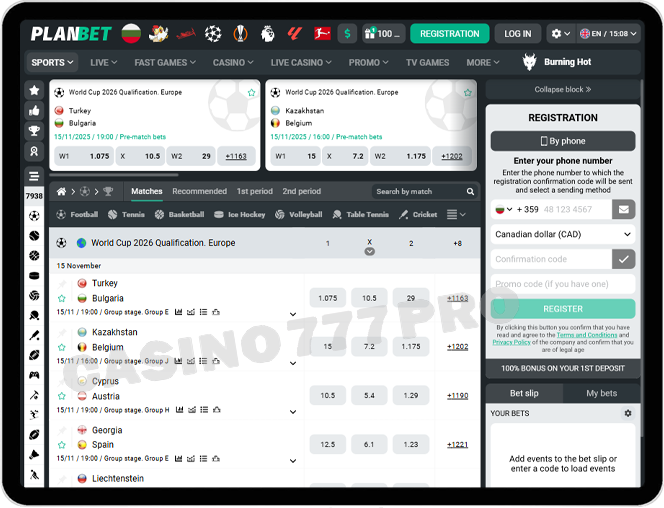
Sports betting is one of Planbet’s strengths. During testing, live betting on cricket, football, and tennis was fast, with instant score updates and smooth odds changes. Pre-match markets are deep, covering major leagues as well as regional events.
You can place bets on all sports betting options, and favorite sports. Thanks to the intuitive controls, you can start playing and enjoying live streams too. Mobile users enjoy sports events and niche sports via the official site and can bet with good minimum odds. There are promotions for at least three events every week via the planbet app for iOS and planbet app for android. The easy access to app open makes it even better. New promotions are aded frequently after your first deposit.
Bet types like singles, accumulators, doubles, and system bets are easy to place. The interface keeps the most popular events up front, which saves time when browsing from a small screen.
Payments on Planbet are straightforward and mobile-friendly. Deposits are instant, withdrawals are fast, and both crypto and local methods are supported. The cashier clearly displays limits, fees, and processing times, which keeps things transparent. Secure transactions are ensured thanks to the operating systems, so you have nothing to worry about.
| Method | Deposit | Withdrawal | Notes |
|---|---|---|---|
| BKash | Yes | Yes | Popular in Bangladesh |
| Nagad | Yes | Yes | Fast and reliable |
| Rocket / NexusPay | Yes | Yes | Instant processing |
| Crypto (BTC, USDT, LTC) | Yes | Yes | Lowest fees |
| E-wallets | Yes | Yes | Quick payouts |
| Bank Transfer | Yes | Yes | Slower but secure |
Both the app and mobile site offer the same full set of features, but the experience isn’t identical. The Android APK runs slightly faster and feels more responsive during live betting, especially when switching between markets. The PWA for iOS behaves like a real app but still depends on Safari, which means small limitations like fewer gesture shortcuts or occasional reloads.
The mobile website, on the other hand, is perfect for players who don’t want to install anything. It loads quickly, supports all bonuses and payments, and works on any modern browser. You can easily switch devices and keep your session synced. Overall, the app is better for daily bettors who want speed, while the mobile website is ideal for casual users or those with limited storage space.
After testing both the Android APK Planbet app and the iOS PWA, we can say that Planbet delivers a genuinely reliable mobile betting experience. The Planbet app is fast, clean, and easy to navigate, with strong attention to local players’ needs, from language support to regional payment methods.
Casino games run smoothly, live betting is responsive, and the bonuses are some of the most generous available. Basically, via the Planbet app or Planbet shortcut, you get quick access to online casino games, to sports betting and to all the generous welcome bonus offers. The app is fully compatible with mos devices and does not have hard system requirements.
There is welcome sports bonus, casino offers and much more.
The lack of Google Play and App Store versions might bother some users, but the installation process is simple once you follow the steps. With big welcome bonuses, flexible payment options, and stable performance across devices, the Planbet app is a solid choice for anyone who wants smooth, modern mobile betting. Just make sure you get the latest version when download the planbet app, so you can enjoy the most user friendly interface.