






If you came here looking for a MyStake app, here's what I found after testing the platform myself: at the moment, there isn't a native app for either iOS or Android. Instead, I spent a full week using the mobile website through Safari on my iPhone and Chrome on Android. During that time I placed sports bets, played slots and crash games, and tested both deposits and withdrawals. Everything worked smoothly without needing to download anything, install updates, or use extra storage on my phone.
Before I started, I expected to notice the difference between the browser version and a dedicated app. In reality, it wasn't as significant as I thought. While a native app would offer extras like push notifications, the mobile site was already fast, reliable, and easy to use for everyday betting and casino sessions. Below, I'll show you how it performed in practice and how I made it feel even more like an app.
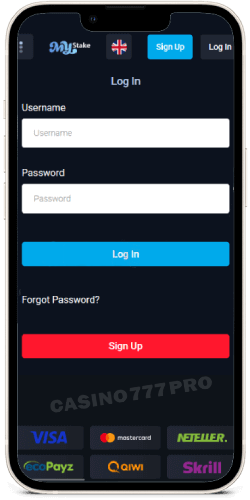
I used MyStake in Safari on both an iPhone 13 and iPhone 14, and the experience stayed fast and stable throughout the week. The main sections, Sports, Live, Casino, Bonuses, and Profile, were easy to reach from the header. Betting markets loaded quickly, odds updated without refreshing the page, and the large tiles in the casino lobby were comfortable to use on a touchscreen. I made deposits with Apple-compatible e-wallets and crypto, and uploading my KYC documents directly from the Photos app was straightforward.
My sessions remained active between visits, and moving from the sportsbook to the slots never caused unnecessary reloads or sent me back to the login screen.
There are still a few differences compared with a native app. I couldn't use push notifications or iOS widgets, and Face ID depended on my Safari settings rather than being built directly into the platform. Even with those limitations, the mobile site covered everything I needed for regular betting and casino play.
Make MyStake act like an app on iPhone (Add to Home Screen):
Open Safari and go to the MyStake website.
Tap the Share icon (square with an up arrow).
Scroll down and select Add to Home Screen.
Rename it “MyStake” (optional) and tap Add.
Launch it from your Home Screen. Once I added the shortcut, MyStake opened in full-screen mode and felt much closer to using a dedicated app.
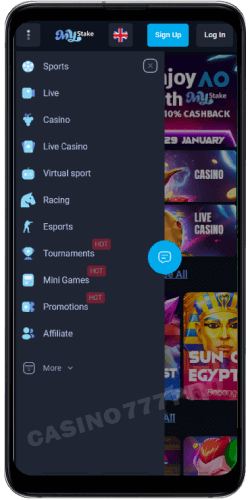
Using MyStake in Chrome on both a Google Pixel and a Samsung phone felt quick from the first session. Live odds changed in real time, the bet slip stayed fixed at the bottom of the screen, and every slot I opened loaded without noticeable lag. My crypto deposits were confirmed quickly, and the cashier remembered the payment method I had used before, which saved me from setting it up again.
The dark theme worked well on a smaller screen, while the simple game filters made it easier to narrow down the casino selection. Just like on iOS, there were no native push notifications or system-level app settings. For everyday use, though, the browser version handled everything I needed. Compared with many online casinos and casino sites I have tried on Android, MyStake felt much better adapted to the device rather than designed mainly with iPhone users in mind.
Create an “app-like” shortcut on Android:
Open Chrome and visit the MyStake website.
Tap the three-dot menu (top right).
Choose Add to Home screen (or Install app if shown).
Confirm Add → Add automatically.
Launch from your Home Screen. Once I added the shortcut, it opened in full-screen mode without the usual browser controls, making it feel much closer to a dedicated app.
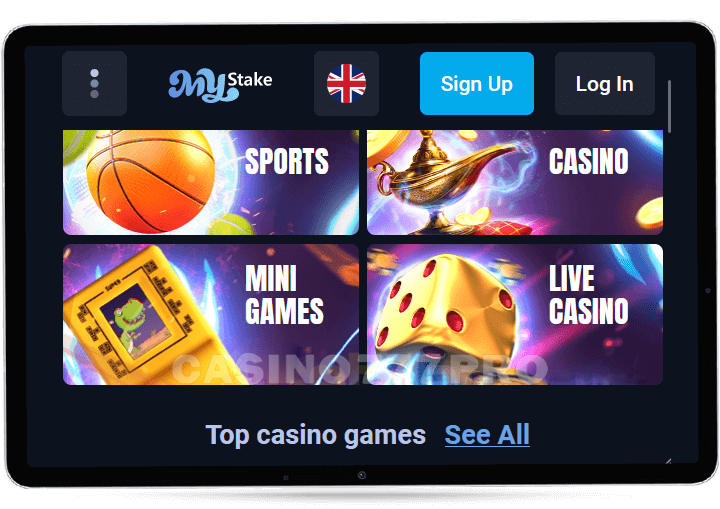
I spent several days using the MyStake mobile site on an iPhone 14 through Safari and a Samsung Galaxy S22 through Chrome. Even without a dedicated app, the browser version felt complete from the beginning. Sports betting, casino games, live tables, crash titles, deposits, and withdrawals were all available, and I didn't run into any noticeable limitations compared with the desktop version.
The homepage opened within a few seconds, while scrolling and tapping through different sections felt natural on both devices. Menus expanded with a single touch, odds refreshed automatically, and the casino thumbnails adjusted neatly to the size of the screen. Keeping Sports, Casino, and Live in the top navigation bar made moving around the platform much easier, especially when I was using the site with one hand.
On Android, switching from live sports markets to casino games happened almost instantly. I used the sportsbook during busy Champions League matches, and the odds continued updating without freezing or slowing down. Safari performed just as well on iPhone. Live casino streams remained clear in HD, and the payments I made were processed quickly.
Whenever I needed help, the customer support chat opened directly from the footer without taking me away from the page. Browser security features worked smoothly too, including saved passwords and Face ID prompts. I spent plenty of time exploring MyStake casino, and the full collection of casino games and slot machines was available on mobile rather than being reduced to a smaller selection. Whether I searched for familiar titles or tried something new, I had no trouble finding the MyStake casino games and slot machines I wanted to play.
Highlights of the MyStake mobile site:
Fast loading even on 4G connection
Works on all modern browsers (Chrome, Safari, Firefox, Opera)
All casino, sportsbook, and bonus features available
Safe payments and instant verification via mobile camera
Optimized layout for one-hand navigation
After several days of using it, the mobile website stopped feeling like an alternative to an app. It was fast, clean, and gave me access to the full MyStake experience without downloading or updating anything.
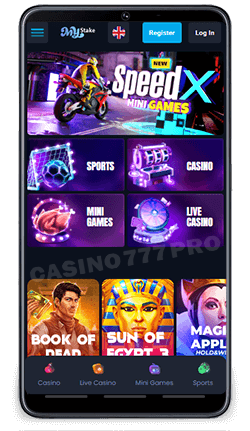
Plenty of online casinos offer mobile versions, but a few features at MyStake casino made a noticeable difference once I started using the platform regularly. Some of them worked better than what I had seen on other casino sites, especially when switching between casino play and sports betting.
Speed stood out from the first session. The mobile site usually loaded within two or three seconds on both Wi-Fi and mobile data, while casino games opened without keeping me on a loading screen. Sports odds refreshed automatically rather than forcing me to reload the page. The same performance carried across the different sections and slot machines, and all the Mystake casino games I opened were ready within a few seconds. That made the platform comfortable to use while travelling or whenever my connection was less stable.
Finding my way around MyStake casino felt natural after only a few minutes. Sports, Live, and Casino Games remained accessible from the top menu, while the collapsible sidebar gave me quick access to bonuses and account settings. The text stayed readable, buttons were large enough to tap comfortably, and I never needed to zoom in, even on a smaller screen.
I played Sweet Bonanza, Gates of Olympus, and several Evolution live tables directly through Safari and Chrome. Switching between browser tabs didn't interrupt my sessions, and the live dealer casino games continued streaming in HD without noticeable buffering. My account remained logged in during longer sessions as well, so returning to a game never meant starting over.
The selection of Mystake casino games included familiar casino games and slot machines, along with a few titles I hadn't come across before. Instead of feeling like a reduced mobile catalogue, the casino section gave me the same variety I expected from the full platform.
The sportsbook felt just as complete as the casino. I used both pre-match and in-play markets, and the bet slip remained visible at the bottom of the screen while I moved between events. It updated whenever the odds changed, and features such as Cash Out and combination bets worked directly through the browser.
What surprised me was that the sports section didn't feel secondary to the Mystake casino games and slot machines. Both sides of the platform received the same attention, which isn't something I have found at every one of the online casinos I have used.
Making a deposit through Mystake casino only took a few steps. I tested both Visa and Bitcoin, and the cashier recognised my preferred method after I had used it once. The fields were simple to complete, and I could deposit money before returning directly to the slot machines I wanted to play. The same process worked consistently across the mobile devices I tried.
Security features remained active without making the site frustrating to use. MyStake casino supports HTTPS encryption, two-step verification, and biometric login through compatible browsers, including Face ID and Touch ID. My sessions stayed active when I switched to another app, so I wasn't unexpectedly logged out in the middle of a bet or casino game.
I checked the platform's licensing and security information before depositing rather than relying only on how the website looked. Any reference to UK Gambling commission approval is something I would verify against the platform's current licence details, as regulatory status can differ between regions and change over time.
For shorter sessions, I spent time with casino games such as Aviator, JetX, and Mines. The rounds stayed quick, the leaderboards updated in real time, and the simple layouts worked particularly well on a phone. These MyStake casino games added something different from traditional tables and slot machines, while still running with the same smooth gameplay I experienced elsewhere on the site.
Whenever I needed help, the floating chat bubble in the corner gave me direct access to the support team. I used it twice while preparing this review, and on both occasions an agent replied within about a minute. UK players and users from other regions can contact the Mystake team with questions about their accounts, payments, bonuses, or games. Compared with some of the online casinos I have tried, the response time was noticeably quicker.
To see how consistent the experience was across different devices, I opened MyStake casino on an iPhone 17, Samsung Galaxy S25, and Google Pixel 10. The site adapted automatically to each screen resolution, and I didn't notice any drop in visual quality or performance. All Mystake casino games and slot machines I tried loaded quickly, whether I was checking a bonus, making a first deposit, placing a wager, or returning for a short casino session. Tournaments and jackpot games were accessible from the same mobile interface, while the welcome bonus could be claimed after registration if the account met the current offer requirements.
After using the mobile site across several devices, what stayed with me most was how consistent everything felt. The combination of speed, straightforward navigation, and accessible security features made the browser version feel surprisingly close to a dedicated app.
| Pros: | Cons: |
|---|---|
| - Fast and stable on both Android and iOS | - No push notifications or native app features |
| - No download or updates needed | - Requires browser login (no app shortcut integration by default) |
| - Full casino, sportsbook, and bonus access | - Live streaming limited to select events |
| - Clean and intuitive mobile interface | - No offline access or cached games |
| - Works smoothly on all major browsers | - |
| - Accepts crypto and fiat payments | - |
| - Instant live chat support | - |
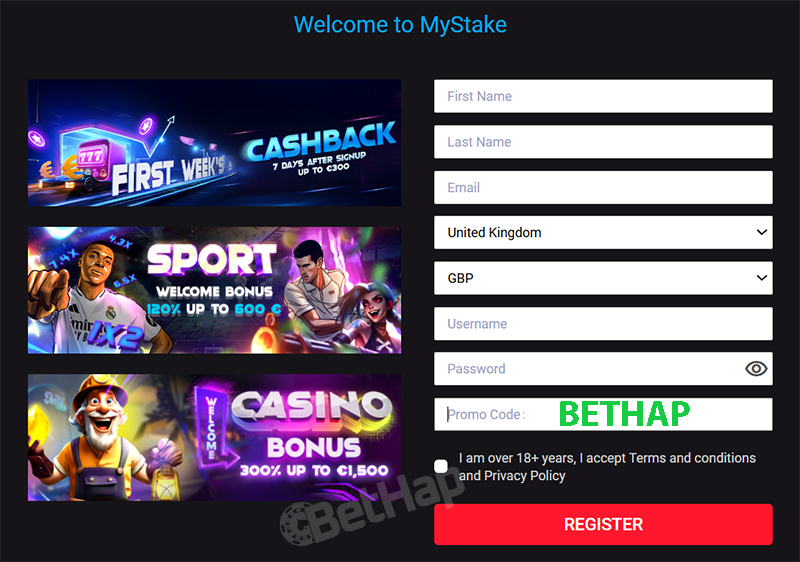
There is no downloadable MyStake app, so I registered on the mobile site in Safari on an iPhone and in Chrome on a Samsung Galaxy, and each time it took less than a minute with the code BETHAP. Logging back in took only a few seconds, because I saved my details in the browser and used Face ID or Touch ID where supported. I list every sign up step in my MyStake promo code review.
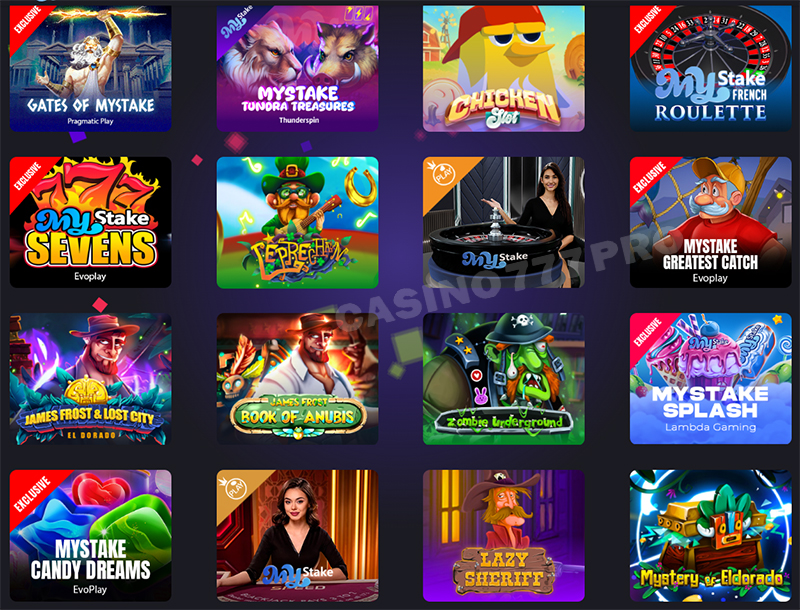
The mobile version of MyStake Casino gave me access to the same game selection I had seen on desktop. There were thousands of slots, live casino tables, crash games, and mini-games, all adjusted naturally to the smaller screen. I tried more than 40 titles from providers such as Pragmatic Play, BGaming, Play’n GO, and Evolution Gaming, and every game opened smoothly, including when I switched to a 4G connection. The graphics stayed sharp, the controls responded immediately, and moving from one title to another never interrupted the session.
Finding a game was straightforward thanks to the tile-based layout and clearly marked categories such as “Slots,” “Live Casino,” and “New Games.” Once a title opened, it used the full screen and responded naturally to touch controls, whether I was swiping the reels or tapping cards. I could even check the available casino bonuses directly from the game screen instead of returning to the homepage each time.
Most of my time in the mobile casino went into slots and table games, simply because there was so much to explore. The slot collection included hundreds of titles from studios such as Pragmatic Play, BGaming, Betsoft, and Play’n GO. I moved between classic fruit machines and newer Megaways games, and the experience stayed smooth throughout. Even on a smaller screen, the graphics looked sharp and the controls felt responsive.
Games like Sweet Bonanza and Book of Dead opened within a couple of seconds, while features such as free spins, expanding wilds, and multipliers worked without slowing anything down. At one point, I switched to another app in the middle of a round, and when I returned, my progress was still there. That made shorter mobile sessions much more convenient, especially since not every one of the mobile casinos I have used handles interruptions this well.
The table game selection gave me just as much choice. I found several versions of blackjack, roulette, baccarat, and poker, with betting limits ranging from $1 tables to options reaching $5,000. That made it easy to find a table that matched the way I wanted to play, whether I was keeping the stakes low or looking for something higher.
| Game Title | Provider | Game Type | Feature |
|---|---|---|---|
| Sweet Bonanza | Pragmatic Play | Slot | Tumble wins + multipliers |
| Book of Dead | Play’n GO | Slot | Expanding symbols |
| Big Bass Bonanza | Pragmatic Play | Slot | Bonus round with free spins |
| Blackjack Multihand | BGaming | Table | Play up to 3 hands simultaneously |
| European Roulette | Betsoft | Table | Smooth mobile wheel animation |
The Live Casino on MyStake’s mobile site came surprisingly close to the experience of a dedicated app. With games from Evolution Gaming and Pragmatic Play Live, I had access to familiar options such as Blackjack, Roulette, and Baccarat, along with several fast-paced game shows.
I joined a number of tables from my phone, and the streams stayed clear in HD with barely any delay. Dealers responded naturally, and moving from one table to another only took a few taps.
Top Live Casino Games on MyStake Mobile:
Lightning Roulette
Sweet Bonanza Candyland
Mega Wheel
Crazy Time
Live Blackjack
Baccarat Squeeze
Casino Hold’em
Each table adjusted to portrait or landscape mode without disrupting the game, while side bets, chat, and camera controls remained easy to reach. For something running entirely in a browser, the live casino felt polished and comfortable to use.
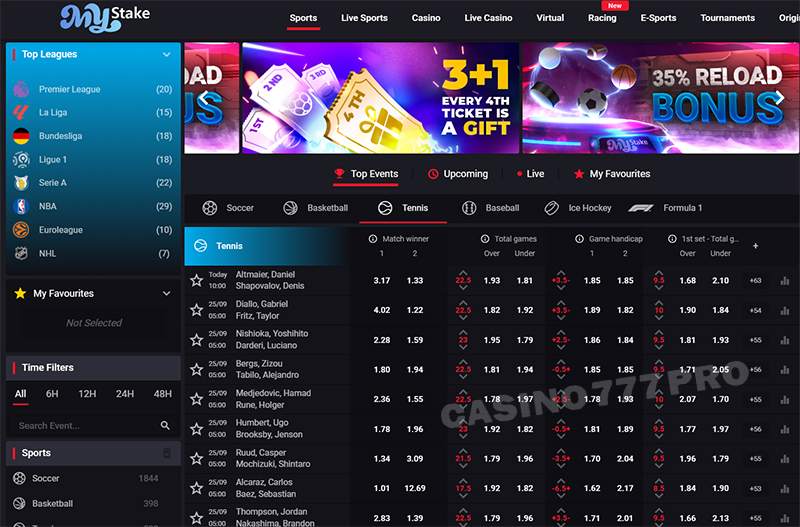
The sports section on MyStake mobile felt just as responsive as the desktop version. I used it during live football and tennis matches, and the odds changed in real time without forcing me to refresh the page. The bet slip stayed fixed at the bottom of the screen, so I could keep track of several wagers while continuing to browse other markets.
Finding events was straightforward. Pre-match and live betting were clearly separated, while filters for leagues and countries helped me narrow down the list quickly. With more than 40 sports available, I could move from football and basketball to esports and UFC, along with smaller markets such as darts and table tennis.
The Cash Out option responded immediately whenever it was available, and each bet confirmation appeared as soon as I submitted the slip. Even when I placed live bets in the middle of a match, I didn't run into lag or error messages, which made the whole process feel reliable on mobile.
After using the MyStake mobile betting section on both Android and iOS, I found it offered everything I needed for regular sports betting. Real-time odds, multiple bet support, and smooth browser performance all worked consistently throughout my sessions.
Managing my balance through the MyStake mobile site felt straightforward from the first transaction. I tried Visa, MasterCard, Skrill, and Bitcoin, and each payment went through without any issues during my testing. The mobile cashier was clearly arranged, with large buttons, automatic currency detection, and a confirmation process that only took a tap.
Crypto payments were especially convenient. I could scan the QR code directly with my phone camera instead of copying a long wallet address, which made both deposits and withdrawals quicker and reduced the chance of entering the wrong details.
| Method | Min Deposit | Min Withdrawal | Processing Time | Notes |
|---|---|---|---|---|
| Visa / MasterCard | $20 | $50 | 1–3 days | Most common fiat option |
| Skrill / Neteller | $20 | $20 | Instant | Perfect for mobile players |
| Bitcoin | $10 | $20 | 5–15 min | Fast & anonymous |
| Ethereum / Litecoin | $10 | $20 | 5–15 min | Crypto-friendly |
| Bank Transfer | $100 | $100 | 2–5 days | Best for large payouts |
Using the mobile and desktop versions side by side made the differences much easier to see. In terms of features, though, they were remarkably similar. Registration, deposits, sports betting, casino games, and live dealer tables all worked through the browser, so moving to mobile never felt like switching to a reduced version of the platform.
The desktop site gave me more room to work with. I could follow several betting markets at once, keep multiple tables open, and see more statistics without constantly moving around the page. For longer sessions, especially when I wanted to multitask or use a larger monitor, that extra screen space was useful.
Mobile suited a completely different kind of session. In both Safari on iOS and Chrome on Android, the layout adjusted automatically, keeping the odds, buttons, and menus within comfortable reach. Moving between the casino, sportsbook, and account pages felt quick, while live odds continued updating without forcing me to reload the page.
I tried the platform on both Wi-Fi and 4G, and most pages opened within three seconds. Live dealer streams remained stable, and crash games such as Aviator kept updating in real time. Even the cashier felt slightly quicker on my phone, mainly because making a deposit required fewer steps than it did on desktop.
For me, the choice came down to space versus convenience. I preferred desktop when I wanted a longer session with more information visible, while mobile was easier whenever I wanted quick access away from my computer. Bonuses, payments, and games remained available on both, so I never felt that the mobile version was missing anything essential. After using each one regularly, Mystake casino felt just as practical on a phone as it did on a larger screen.
A full week with MyStake Casino on both Android and iOS gave me a clear idea of how the platform performs away from a desktop. The mobile website didn't feel like a smaller copy of the main site. In some situations, it was actually more convenient because pages opened faster and every important section stayed within easy reach. Sports betting, live casino, crash games, bonuses, and secure payments were all available through the browser. Based on the experience covered in this review, MyStake casino stands out among the online casinos I have used on mobile.
Stability made the biggest difference during longer sessions. I could switch between browser tabs or open another app without losing my place, while live odds continued updating in real time. Deposits reached my account quickly, and games such as Sweet Bonanza, Dream Catcher, and Crazy Time ran smoothly in portrait mode. The selection of Mystake casino games, slot machines mini games was broad enough that I could move between different types of play without repeatedly seeing the same titles.
A native app could still add useful extras, particularly push notifications. In everyday use, though, the browser-based setup had its own advantages. It took up no storage, required no manual updates, and worked across every modern device I tried. Rather than adding unnecessary features, the platform kept the focus on quick access and reliable performance.
By the end of my testing, the mobile site had become the easiest way for me to access the platform. Whether I wanted to place a quick bet or spend more time in the casino, everything I needed was already available without a download. For players who value portability and straightforward navigation, MyStake Casino offers a practical mobile experience without making the lack of an app feel like a limitation.