






When we tested the BC Game app, it felt like someone had squeezed the full desktop experience into a pocket-sized betting hub. You still get the big things that matter – sports betting on cricket, football and esports, fast crypto payments, UPI and Paytm support, BC Originals, live casino – but in a version that actually makes sense on a phone. The app is not in Google Play or the App Store, yet BC Game gives Android users a proper APK and iOS users a slick web-based “app” you add to your home screen. In practice, both work like a real native app: quick to open, stable, and always in sync with the main BC Game website.
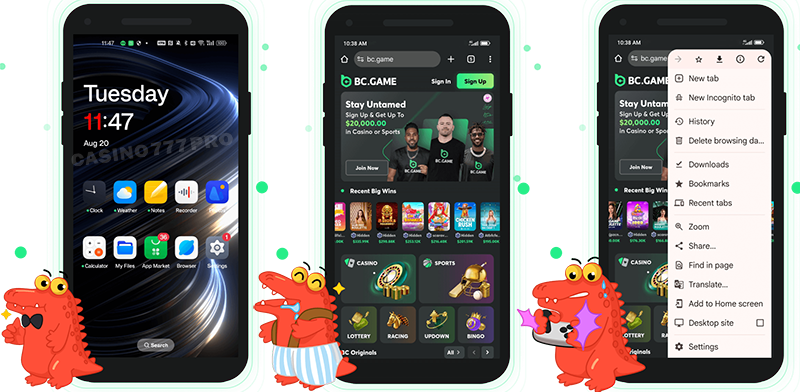
On Android, the BC Game application runs as a proper APK, and our experience with it was surprisingly smooth. Once installed, it behaves like a full native app: you tap the icon and jump straight into sports betting, BC Originals, live casino, lotteries and promotions without loading the browser first. The interface is light, menus are clear, and switching between sportsbook, casino and wallet is quick even on mid-range devices.
From a technical point of view, the BC Game Android app is designed for Android 5.1 or higher, with at least 1 GB RAM, 1.2 GHz processor and about 100 MB free space. In other words, most modern Android phones can handle it easily. Because everything is wired to the main BC Game platform, you still benefit from instant UPI and crypto deposits, fast withdrawals and all current bonuses, just in a more mobile-friendly environment.
Downloading the BC Game Android app is a simple APK installation, but you do have to adjust one setting first. Here are the steps you need to follow to download BC Game app quickly:
Prepare your phone
Go to Settings → Security → Install Unknown Apps (or similar) and allow installations from your browser. This is needed because the app is not in Google Play.
Visit the official BC Game download page
Open your preferred browser on Android and go to the BC Game official website. Use the dedicated download link to open the BC Game download for Android (APK) page.
Download the BC Game APK file
Tap the Download button. The BC Game APK will start downloading and will appear in your Downloads folder or the notification bar. You can do that in the device settings.
Install the app
Open the downloaded BC Game APK, confirm the permissions and tap Install. In a few seconds the BC Game app icon will appear on your home screen.
Log in and play
Open the app, log in or create a new account, and you’re ready to bet on sports, play casino games and claim bonuses from your Android device.
As you see, it is not that difficult to download. BC Game India has very quick process and if you are okay with install apps, the BC Game apk will not be a problem for you. The BC Game download Android is also quick and easy.
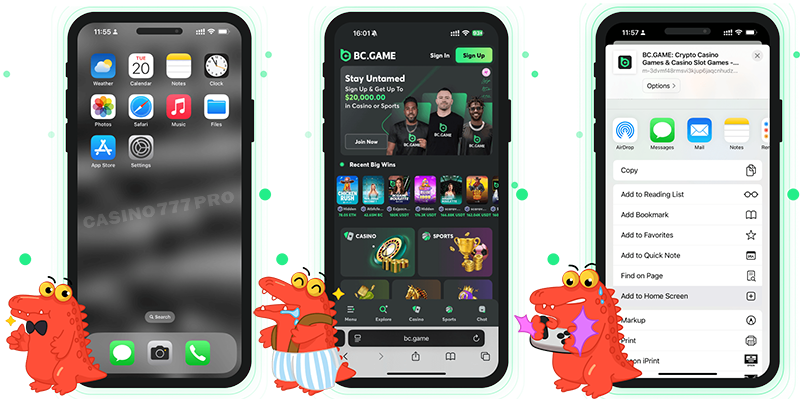
On iOS, BC Game takes a slightly different route but the end result is similar – you still get an “app-like” experience. Instead of a traditional App Store download, BC Game uses a web-based iOS app that you pin to your home screen. We tested it on iPhone and iPad, and it felt very close to a native application: it opens full-screen, keeps you logged in, and runs smoothly as long as the internet connection is decent.
The good part is that this approach doesn’t eat storage space or require constant manual updates. As long as your device can handle Safari and live streaming, the BC Game iOS app shortcut works fine. Officially, the system requirements mention iOS 8.0 and higher, but the site notes that it’s tuned for newer versions like iOS 12.0+ where things like live betting and streaming feel much more responsive.
The BC Game iOS “app” is added as a shortcut from Safari, and the whole process takes under a minute.
Open the official BC Game website
On your iPhone or iPad, open Safari and go to the BC Game official site using the dedicated iOS download link. This loads the mobile app page.
Tap the Share button
At the bottom of Safari, tap the Share icon (the square with an upward arrow). This opens a menu of actions for the page.
Select “Add to Home Screen”
In the menu, scroll and tap “Add to Screen”. A preview of the BC Game icon and name will appear. You can keep the default name or rename it (for example “BC Game App”).
Confirm and create the shortcut
Tap “Add” in the top-right corner. The BC Game icon will now sit on your home screen like any other app.
Start betting
Tap the icon, log in or sign up, and you’re inside the full BC Game mobile experience, sports betting, casino, BC Originals and promotions, with no App Store involved.
BC game download iOS is not that harsh, you do not need bc game download apk file from google play store, you just need to follow the steps, add the shortcut and start playing online casino games.
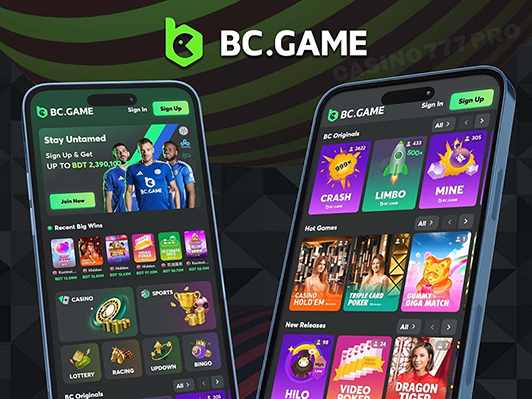
Even without installing anything, the BC Game mobile website is strong enough to be your main way to play. When we opened BC Game in a mobile browser, the layout adapted nicely to smaller screens: main navigation sits in a bottom or side menu, sports and casino categories are one tap away, and the bet slip is always easy to access.
All core features are there: registering, logging in, claiming the sports and casino welcome bonuses, making deposits with UPI, Paytm, Google Pay, PhonePe, cards or crypto, and of course betting and playing BC Originals. Because it’s browser-based, you always use the latest version, there’s nothing to update manually.
For players who switch between devices (for example, sometimes on desktop, sometimes on mobile), the browser route is convenient: you sign in on any phone or tablet and pick up exactly where you left off. If you later decide you want something more “app-like”, you can still install the Android APK or iOS shortcut.
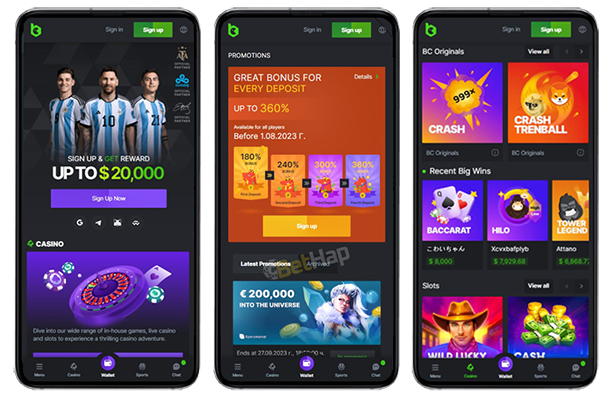
Here are the main features we adored of BC Game app:
What we liked most is that the BC Game app doesn’t feel segmented. On both Android and iOS, you can jump from cricket betting to live roulette to BC Game Originals (like crash and other in-house titles) in seconds. There’s no sense of “mobile lite”, it’s the full platform in your pocket.
The sports and casino welcome packages are very good at the BC game app. The app lets you claim, track and wager these offers easily. You see the rollover progress inside your account, which makes meeting the requirements much less confusing.
We also liked in the BC Game app how light the solutions are. The iOS “app” is essentially a PWA shortcut, so it doesn’t bloat your device. The Android APK is small (around 100 MB space required) and optimised for 1 GB RAM devices, so it works even on phones that aren’t the latest flagships. And it is not difficult tot complete the BC Game apk download.
| Pros | Cons |
|---|---|
| - Dedicated Android APK and iOS home-screen “app” shortcut | - Not available in Google Play or Apple App Store – users must follow manual installation steps |
| - Full access to sports betting, esports, casino and BC Originals on mobile | - Older Android/iOS devices may experience slower loading or minor lag during live betting |
| - Strong welcome bonuses for both sports and casino (multi-deposit structure) | - |
| - Wide payment coverage: UPI, Paytm, GPay, PhonePe, NetBanking, cards + 150+ cryptos | - |
| - Fast deposits and generally quick withdrawals via crypto and UPI | - |
| - Mobile access to promos like welcome lottery and free bets | - |
| - No extra storage pressure for iOS thanks to the web-based app approach | - |
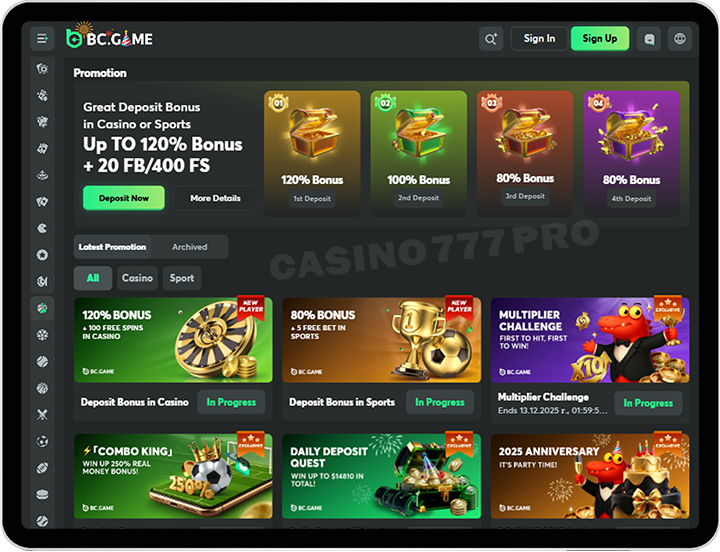
The BC Game mobile casino feels genuinely built for phones, not squeezed down from desktop. When we tested it, the interface loaded smoothly even on older Android models, and the game thumbnails were clear and easy to scroll through.
What makes the mobile casino stand out is the mix: thousands of slots, fast-loading BC Originals, crash games, live dealer tables and plenty of niche titles you don’t normally. The live casino section is especially good on mobile because the streams adapt well to weaker connections, and switching between tables is almost instant. The BC Game website on mobile device also offers all these options for playing games, including favorite games, live dealer games, live casino games and much more. And with no need to install apps for playing games.
Most importantly, you don’t lose any features on the mobile version, you can favourite games, claim bonuses, check wagering, chat with support, and switch between UPI/crypto deposits within seconds. It’s a complete casino hub right in your pocket.
TOP casino games are available and thanks to the great user interface you will not have issues when it comes to mobile gaming. You can also use your promo code thanks to the BC Game pwa for great gaming experience. You get instant access to live games via the latest version.
| Category | Mobile Game Example |
|---|---|
| BC Originals | Crash, Limbo, Cave, Roulette X |
| Slots | Gates of Olympus 1000, Razor Returns, Moon Princess Trinity |
| Live Dealer | Hindi Roulette, Andar Bahar Live, Lightning Baccarat |
| Table Games | Teen Patti Pro, Blackjack Lucky 7, EZ Baccarat |
| Feature Title | Plinko XY, Mines Turbo, Dragon Tiger Boost |
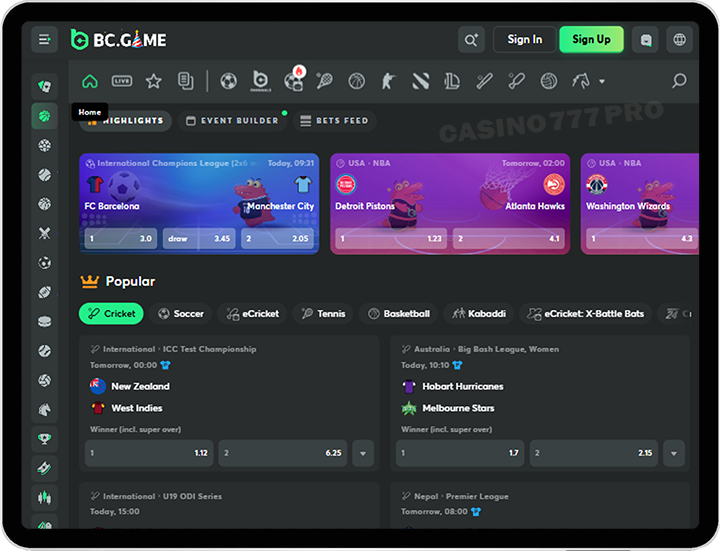
BC Game’s mobile sportsbook is one of the cleanest we’ve used, especially for cricket bettors. The menu for upcoming and live matches is well-organised, odds refresh quickly, and the bet slip never hides behind four extra taps. Whether you’re betting on the IPL, Premier League, UFC, NBA or local T20 tournaments, everything fits perfectly into the mobile screen without feeling cramped.
Live betting is where the BC Game mobile app shines the most. Odds update fast, the event tracker is easy to follow, and markets open with almost no delay. Cricket punters get dozens of betting lines: totals, boundaries, fall of wicket, player performance, partnerships, and ball-by-ball options during major matches.
There’s also strong support for football, tennis, kabaddi, esports and virtual sports. If you like multi-bet slips, the app makes it easy to combine selections and track potential outcomes in real time. SO the BC Game app is a good options for sports bettors.
Deposits and withdrawals on the BC Game mobile version work exactly the same as on desktop, but they’re even faster because the wallet button is always visible. Once you tap “My Wallet,” every payment option appears instantly, UPI, Paytm, Google Pay, PhonePe, NetBanking, Visa/Mastercard, Skrill, Neteller, AstroPay and over 150 cryptocurrencies.
UPI and Paytm are usually instant, while crypto withdrawals often arrive within minutes depending on the network. BC Game does not charge extra fees, and the minimum deposit varies by method. Everything is mobile-friendly: you can deposit, claim a bonus and jump into a casino game within 30 seconds.
| Type | Methods |
|---|---|
| UPI & Local Payments | Google Pay, PhonePe, Paytm, NetBanking |
| Cards | Visa, Mastercard |
| E-Wallets | Skrill, Neteller, AstroPay |
| Cryptocurrency | Bitcoin, Ethereum, Litecoin, Dogecoin, TRON, XRP +150 altcoins |
| Withdrawals | UPI, Paytm, PhonePe, Crypto, Skrill, Neteller |
When we compared the BC Game mobile app and the mobile website side by side, the difference came down to convenience rather than features, because both versions give you full access to sports betting, casino games, bonuses, fast payments and BC Originals. The Android APK behaves like a true native app: pages load faster, the interface feels smoother during live betting, and biometric login (Face ID / fingerprint) saves a lot of time. Push notifications are a big bonus too, especially when you want updates on price boosts, free bets or deposit offers.
The mobile website, however, is just as functional and doesn’t require installation. It updates automatically, works on any mobile browser, and feels extremely lightweight. For iOS users, the Home Screen shortcut gives you an app-like experience without using device storage.
If you bet often, the BC game app offers a noticeably quicker workflow. But if you prefer zero downloads and maximum flexibility, the mobile website delivers everything you need in one tap.
After testing the BC.Game app and mobile website across different devices, it’s clear that BC Game built its mobile ecosystem with real players in mind. Everything loads fast, even live betting; casino games run smoothly; UPI and crypto payments are effortless; and the welcome bonuses are structured to work perfectly on mobile.
Whether you prefer installing the Android APK or adding the iOS shortcut, you get the same full platform, sports, casino, BC Originals, promos and fast withdrawals, without missing any feature from the desktop version. And we have to note the BC Game app download is quick and definitely not too hard.
The live dealer games are great, the sports offers amazing, and the slot selection absolutely worth to start playing, specially with all the free spins in your BC Game account. Just make sure you have stable internet connection so you can play anytime via the mobile app and the betting apps or the BC Game site. Yes, to download the bc game mobile app, you will need mobile data before you start playing. Good to know that there are secure transactions and if you need help with anything, you can always contact the support team via the dedicated mobile app.
For players who enjoy betting on the go, BC Game is easily one of the strongest mobile options, combining convenience, generous bonuses and a seriously polished interface. It's a great pick for both casual users and high-volume bettors.