






New players who type BETHAP into the promo field during registration start their mobile journey with the welcome offer described on our SpinBetter promo code page.
| Feature | Android | iPhone |
|---|---|---|
| APK download from the official site | Yes | No |
| Install method | APK file installed from the official website | Safari Share menu, Add to Home Screen (PWA) |
| Icon on the Home Screen or app drawer | Yes | Yes |
| Full-screen mode without a browser bar | Yes | Yes |
| Updates | New APK from the official site when one appears | Updates with the website, nothing to reinstall |
| Sportsbook | Yes | Yes |
| Casino and slots | Yes | Yes |
| Live dealer tables | Yes | Yes |
| Same account as the website | Yes | Yes |
Yes, although the answer needs a little more detail than a plain yes. On Android there is a genuine installable file: the SpinBetter app arrives as an Android APK that you download from the official website rather than from a store listing. Once it is installed, the icon sits in the app drawer and the whole operator, sportsbook and casino included, opens from that single tap. Nothing about the experience feels like a shortcut to a web page.
On iPhone the route is different. There is no native download to search for, so the site is added to the Home Screen from Safari and runs as a PWA. That progressive web app opens full screen, keeps its own icon and behaves close enough to an installed program that most players stop thinking about the difference after the first session. It also quietly avoids the biggest annoyance of APK files, because it refreshes together with the website instead of asking you to fetch a new package.
What matters for anyone weighing up a sports betting app is that both routes lead to one account and one balance. You can register on a laptop, install the Android APK later, add the iPhone icon on a second device and still see the same bet history, the same wallet and the same promotions. Nothing is exclusive to one platform, and nothing is missing on the other.
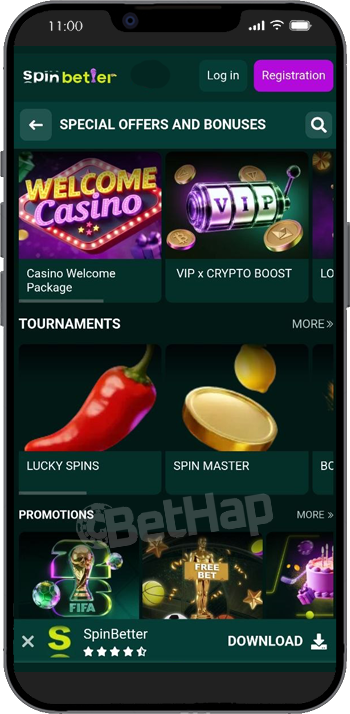
The Android install is a short process, but it involves one step that people who have only ever used a store will not expect: allowing your browser to install unknown apps. That permission is a normal Android safety prompt, not a warning about the file itself, and it can be switched back off afterwards. Take the APK only from the official SpinBetter site, because copies hosted anywhere else are not worth the risk.
Open the official SpinBetter website in the mobile browser on your Android phone.
Find and tap the Android download option for the app.
Confirm that you want to keep the APK file when the browser asks.
Go into your phone settings and allow installing unknown apps for the browser you used.
Open the downloaded file, tap Install, wait for it to finish and then launch the app.
From start to finish this took a couple of minutes on a mid range handset, most of it spent on the download rather than the install. The app is free, and it asked for nothing unusual on the way in. Signing in with an existing account worked straight away, and the sportsbook was already loaded by the time the keyboard disappeared.
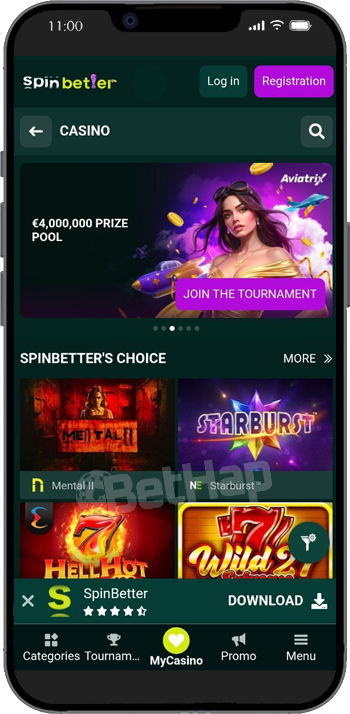
iPhone owners get the faster setup of the two. There is no file to download and no permission to change, just Safari and the Share menu. The result is a Home Screen icon that opens the operator without an address bar, which is exactly what most people mean when they ask for an iPhone app.
Open Safari, load the official SpinBetter site and let the page finish loading.
Tap the Share button, scroll to Add to Home Screen and confirm with Add.
Launch the site from the new icon; it opens full screen with no Safari bar in the way.
One practical note: the Home Screen shortcut has to be created in Safari. Building it from another browser does not produce the same full screen behaviour, which is the single most common reason people think the PWA has failed on them. Give it fifteen seconds in Safari and it works the first time.
My opening hour was deliberately unglamorous. I logged in, opened the promotions page, loaded the sportsbook, put a basketball market on the bet slip, searched for a slot by name, joined a live casino table, opened betting history and used the general search box. Everything I asked for appeared, and nothing needed a second attempt.
Rotation is handled properly, so portrait and landscape both render without the layout collapsing, and slots stay comfortable in portrait. I also switched from Wi-Fi to mobile data in the middle of a session to see what would break. Nothing that was already open got dropped, which is a small detail you only notice on the days it goes wrong.
The one habit worth forming early is using search instead of menus. The sport tree and the casino lobby are both large, and typing three letters is consistently faster than scrolling through categories on a phone screen.
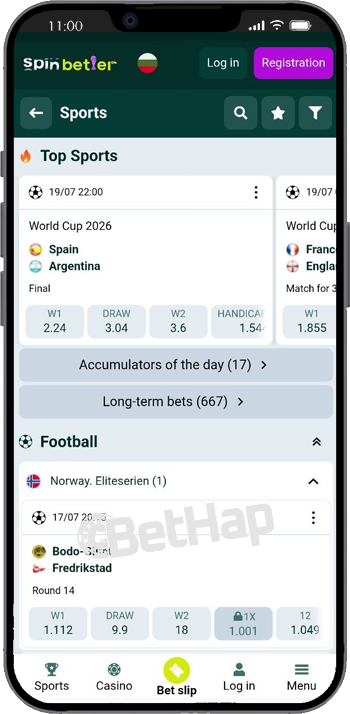
The sports side is the part of the mobile app I used most. Football, basketball, tennis, Formula 1 and esports are all reachable within a couple of taps, and live odds kept updating while I watched a match view without forcing a manual refresh. The bet slip stays editable in place, so adding a second selection does not throw you out of the event you were reading.
Bet types cover singles, accumulators, system bets, chain and multibets, which is more variety than a lot of mobile products bother to expose on a small screen. Building an accumulator was the clearest test: selections stack up cleanly and the slip stays legible rather than turning into a scrolling wall. Betting history sits one tap away instead of being buried three levels deep in account settings.
If you mostly bet in play, the app is the better of the two mobile routes simply because it starts faster. Over a week of casual use those saved seconds add up, particularly when a price is moving and you want the slip open before it changes.
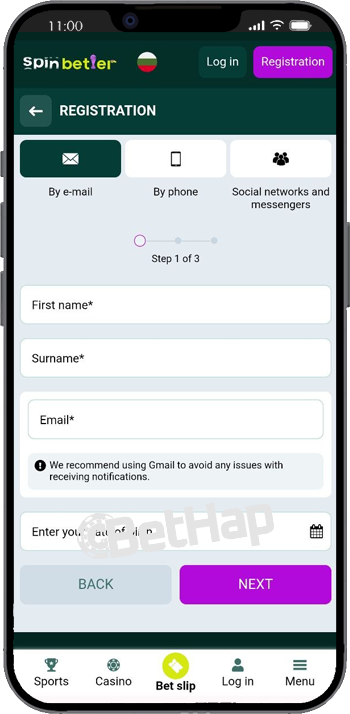
Casino on mobile mirrors the desktop lobby rather than offering a cut down version of it. Filters and the provider list behave the way they do on a larger screen, and the search box finds a game almost as soon as you start typing its name. For the desktop perspective on the same lobby, our SpinBetter casino review goes into the game range in more depth.
Titles I opened on the phone included Mental II, Starburst, Hell Hot 100, Wild 27 Extreme, Crown Coins, Fortune Power Hold and Win, 3 Fortune Mummies and Juicy Wins x10000. Load times were short on both platforms, and no game asked me to rotate the handset before it would start. Portrait mode is genuinely comfortable for slots, which is not always the case elsewhere.
Bonus rounds and autoplay controls stay reachable without shrinking the reels into something you have to squint at. That is the practical difference between a lobby designed for phones and a desktop lobby that has merely been made to fit.
Live casino on mobile is the hardest thing to get right, so I tested it off Wi-Fi on purpose. Crazy Time, Monopoly Live, Lightning Roulette, Blackjack, Dragon Tiger and Ice Fishing all connected over mobile data without a long wait at the door.
The video stayed sharp, audio matched the picture and the betting controls did not swallow the screen the way they sometimes do on smaller handsets. Moving from one table to another took a moment rather than a full reload of the lobby.
Live play is the heaviest thing you can ask a phone to do here, so keep an eye on data use if your plan is tight. Quality held up well enough that I never felt the need to go back to Wi-Fi mid session.
Both routes show the same markets, the same games and the same balance, so the decision comes down to how you like to open things and how much screen you want back.
| Point | Installed app | Mobile website |
|---|---|---|
| Markets and games | Same | Same |
| How you open it | Icon, straight in | Browser, then the address bar |
| Screen use | Full screen | Browser bar takes space |
| Launch speed | Slightly quicker | Slightly slower |
| Account and bonuses | Same | Same |
If you play a few times a week, install it. If you drop in once a month, the mobile website costs you nothing and saves the setup.
Liked: quick loading on both platforms, a sportsbook that stayed stable through live markets, smooth live dealer streams over mobile data, a search box that actually finds games, straightforward navigation between casino and sport, betting history that is easy to reach, and honest coverage of Android and iPhone rather than one platform being treated as an afterthought.
On my wish list: an official Google Play listing, a proper App Store app, biometric sign in on more devices and push alerts for favourite events. None of those exist today. They are wishes rather than features, and I would rather say so plainly than let anyone install the APK expecting something it does not do.
SpinBetter on mobile is a calm, competent experience on both platforms. Android users pull the APK from the official site, iPhone users build the Home Screen web app in about fifteen seconds, and after that the day to day difference is small enough to ignore.
Remember that BETHAP belongs in the promo field while you register, whether you sign up on the web or inside the app, because it cannot be attached to an account afterwards.
Every promotion claimable from the mobile app, from the welcome ladder to the weekly reloads, is set out in our SpinBetter bonus list.